Every reel, order and truck in one place.
NoSky ERP runs purchase, inward and reel stock for corrugated box makers. Scan with any phone. Tally keeps the books.
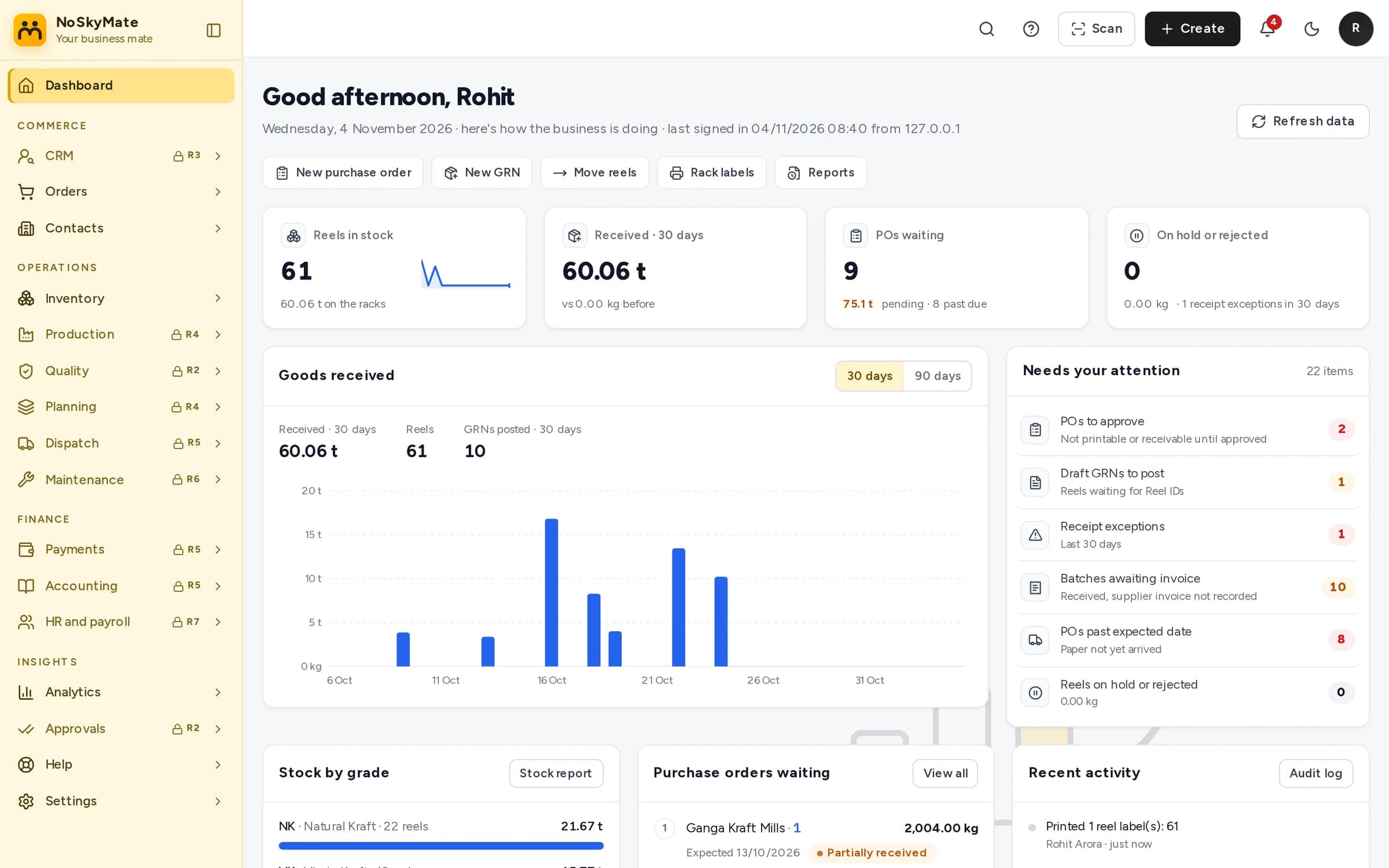
- QR on every reelPrinted from the browser
- One GRN per truckEven across several POs
- Tally-ready numbersPO, GRN and batch numbers
- Any phoneNo app or scanner to buy
See the screens your team will use.
Real NoSky ERP screens, with sample data. Pick a step or let it play.
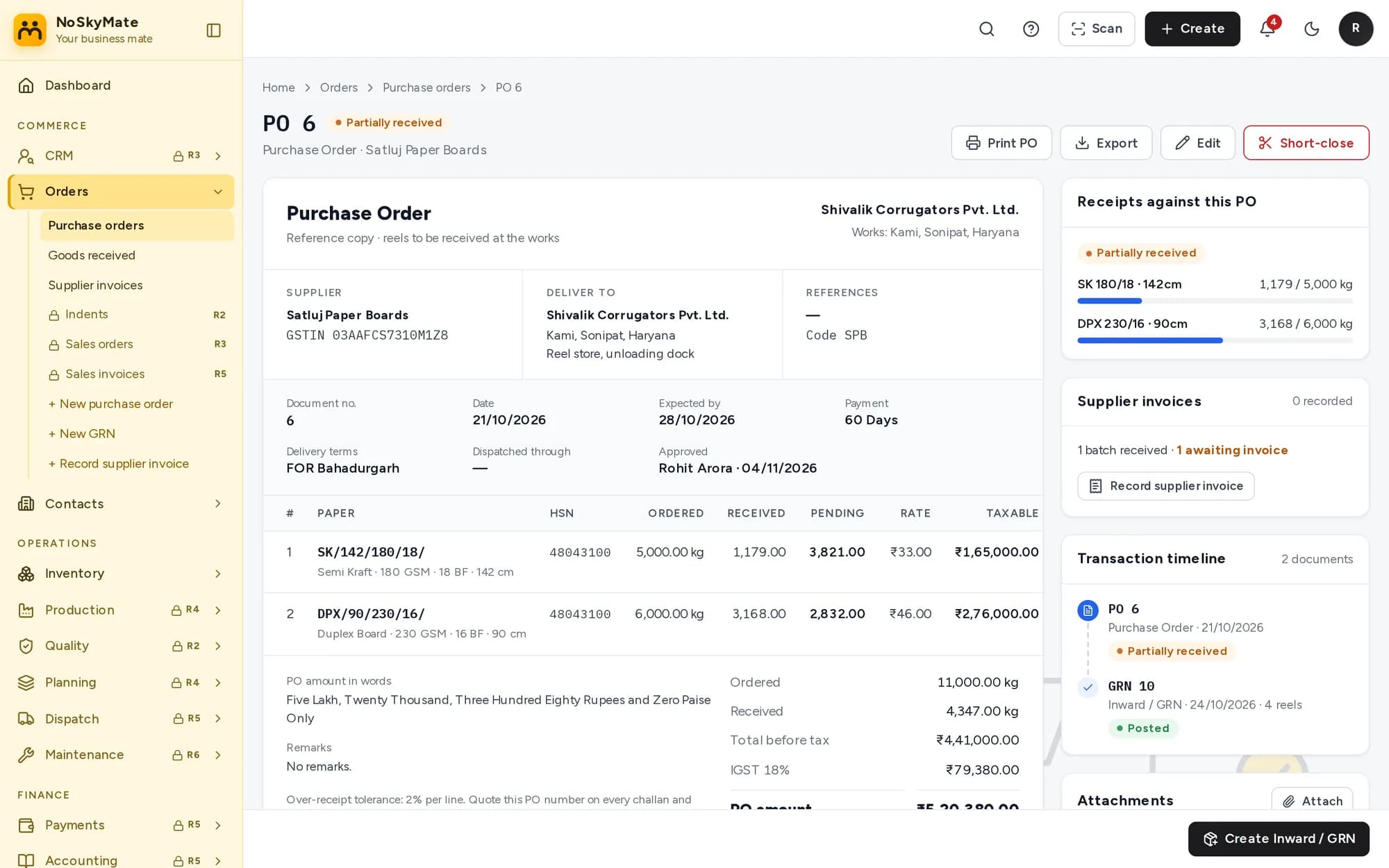
- Item codes like SK/142/180/18/ with HSN and GST worked out
- Prints for the mill only after a senior approves it
- Received and pending kg per line, updated by every truck
From the mill to Tally, nobody types a reel twice.
Each step picks up where the last one stopped. Scroll to follow a reel.
- MillReels leave with a challan
- Purchase orderRaised and approved
- Truck arrivesOne GRN, reels weighed
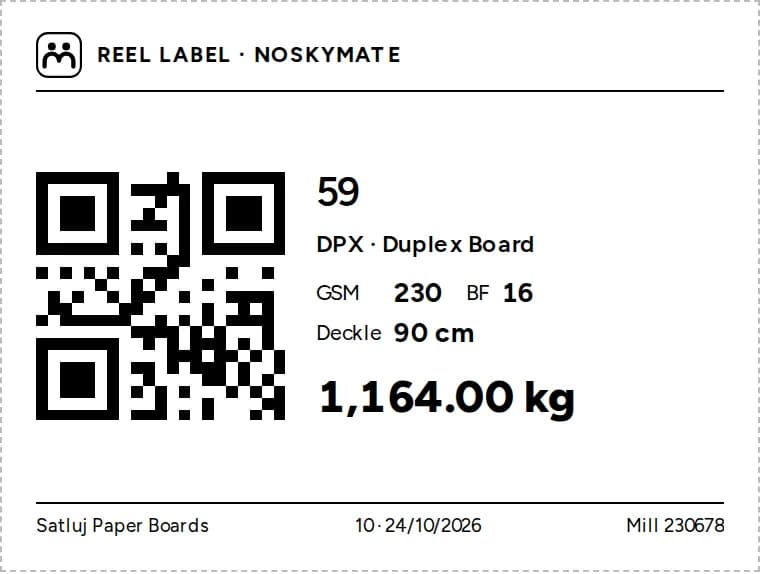
- QR labelNumber = Tally batch
- RackScan to put away
- ProductionReel issue, Feb 2027Coming
- DispatchE-way bill, Mar 2027Coming
- TallyVouchers keep our numbersComing
Built for the store floor.
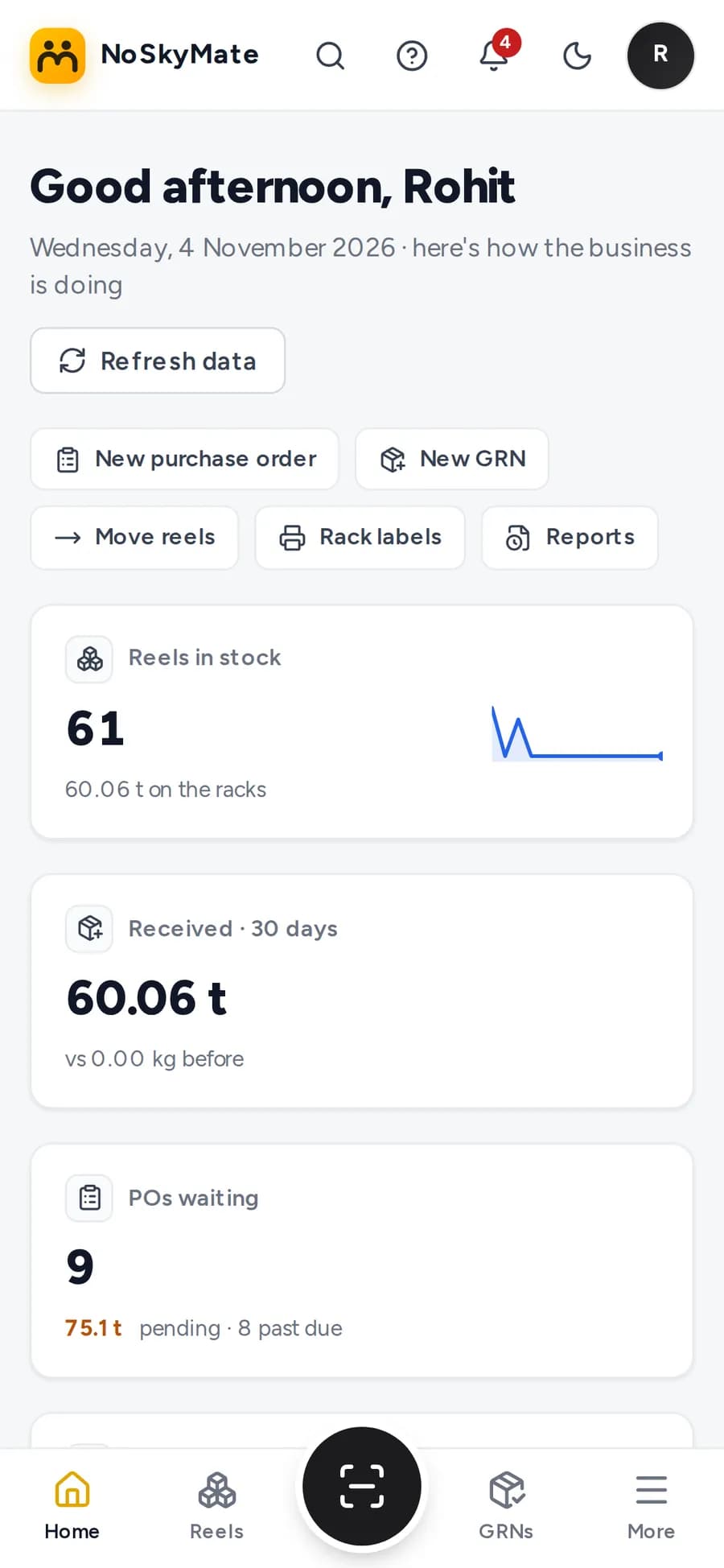
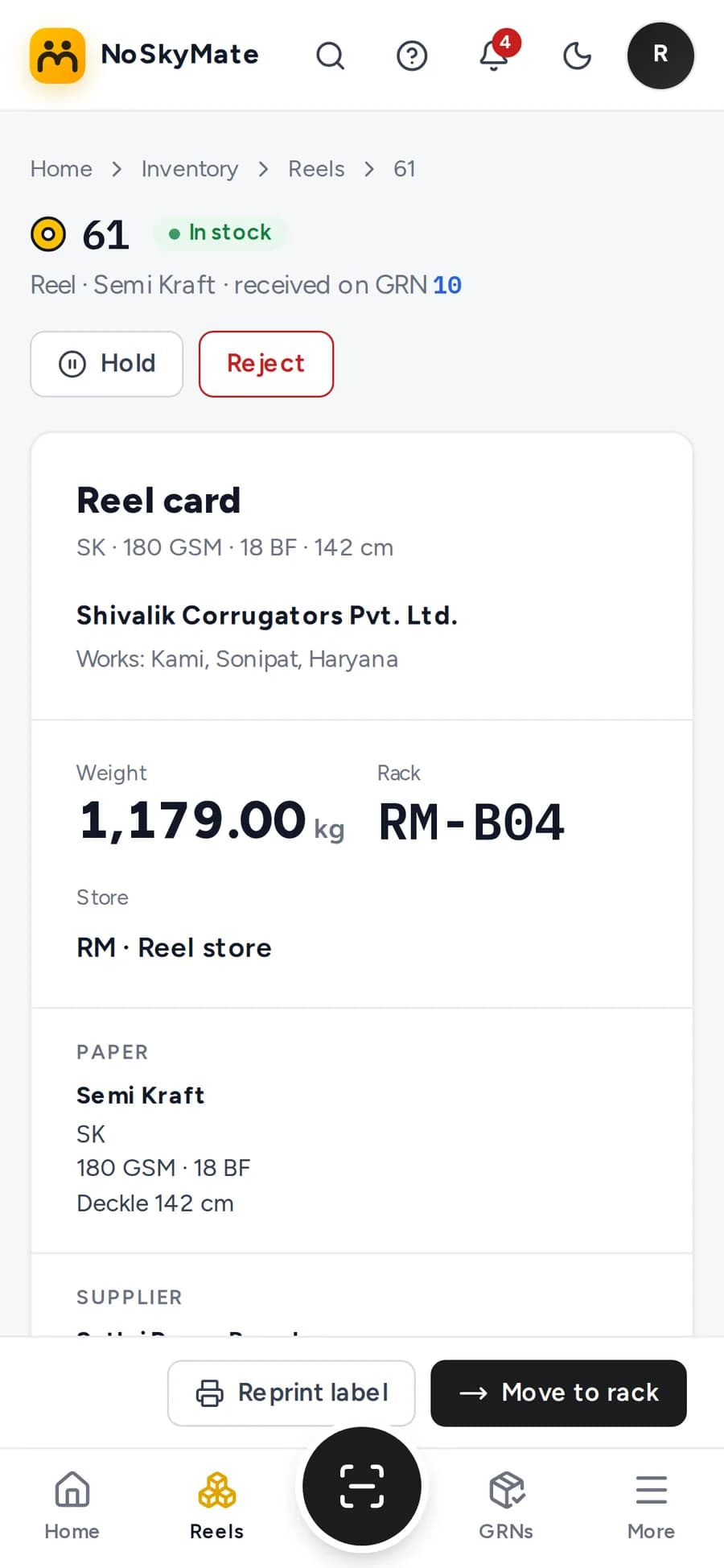
Store staff work from the phone in their pocket. Big buttons, one scan at a time.
- Scan in the browserThe phone camera reads reel and rack QR codes. Nothing to install.
- Labels on your printer100 × 75 mm reel labels and rack labels, printed from the browser.
- Scan reel, scan rackA reel moves in two scans. Hold and reject take a reason.
- Android app nextA store app with the same screens arrives in December 2026.
One system, purchase to payroll.
Fifteen modules on one login. Point at a module to see what it covers and when it arrives.
Inventory
Reels, racks and paper grades.
- ReelsLive
- RacksLive
- Paper gradesLive
- Stores and itemsR2
- Finished goodsR4
Works with what you already run.
Tally
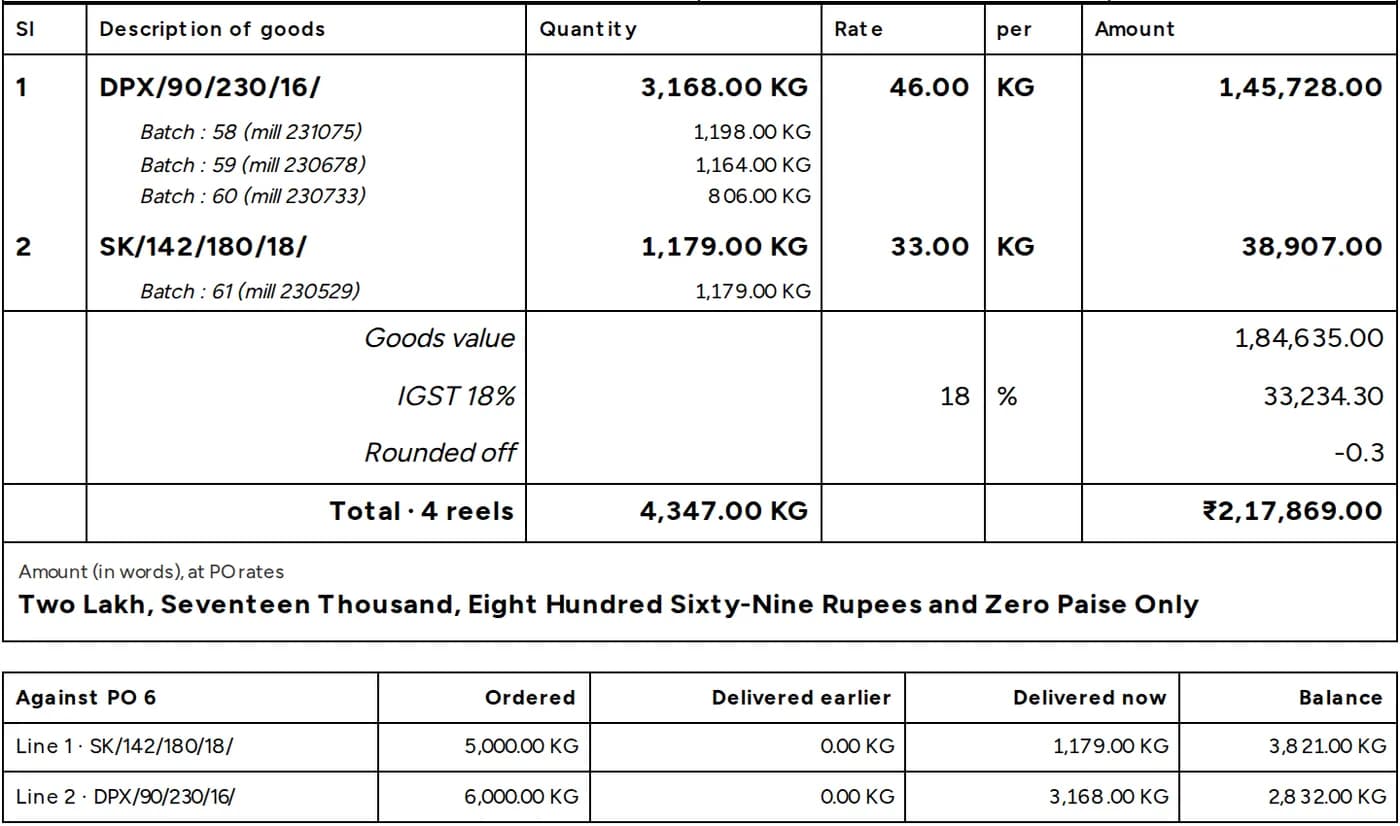
Two-way sync · Mar 2027Tally stays your books. Every PO, GRN and reel number goes to Tally as the voucher or batch number, and receipt notes already follow Tally's layout.
Everyone sees their part. Nothing goes unrecorded.
Owner
- Sees everything
- Approves POs, including their own
- Owns the company settings
Admin
- Adds users and sets permissions
- Approves POs raised by others
- Imports suppliers and stock
Purchase
- Raises and edits POs
- Records supplier invoices
- Tracks what is still pending
Store
- Posts GRNs and prints labels
- Moves, holds and rejects reels
- Works from a phone
Purchase to payroll by March 2027.
The first release is live. Each one after it adds a part of the plant.
- Nov 2026Live
Purchase and reel stock
Suppliers, POs with approval, batch GRN, reel QR labels, stock by rack, reports, data import.
- Dec 2026
Approvals and quality
Indent to PO approval, three-way match, incoming QC, returns, multi-store, Android app.
- Jan 2027
Sales and new products
Customer credit, enquiries with box spec, quotations, die and plate register, costing.
- Feb 2027
Production and planning
Job cards, operator app, reel issue and return, MRP, planning board.
- Mar 2027
Dispatch, accounts and people
Invoicing, e-invoice, e-way bill, Tally sync, maintenance, owner KPIs, HR and payroll.
Questions owners ask.
Do we stop using Tally?
No. Tally stays your book of accounts. NoSky ERP sends POs, receipts and reels to Tally with the same numbers, so the paper, the ERP and Tally always agree. Two-way sync comes in March 2027.
Do we need label printers or barcode scanners?
No. Reel and rack labels print from the browser on the printer you already have, and any phone camera scans them inside the browser.
Can we bring our existing data?
Yes. Excel templates for suppliers, paper grades, open POs and opening reel stock. Every row is checked first, and nothing is saved until all rows are correct.
Does it work on phones?
Yes. The store screens are built for phones, with a large scan button and a bottom bar. An Android app follows in December 2026.
Who can see and change what?
Four roles to start: Owner, Admin, Purchase and Store. The Admin can change what each role may do, and every change is logged.
How do people learn it?
Each role gets a short guided tour inside the app the first time they sign in, plus how-to guides on the Help page.
What does it cost?
Tell us about your plant, the number of users and the modules you need, and we will send a quote.
See it on your own reels.
Write to us and we will walk you through it with your paper grades and racks.